
301 redirects and SEO are essential for any WordPress website. Sooner or later you remove a page, edit a slug, or make a change in your categories or tags. Before you realize it you may have many 404 errors on your page. A 301 redirect can solve that.
In case you are looking for how to make 301 redirects on you WordPress website, have a look at redirection.me the Redirection plugin.
The Redirection plugins works for me on many sites, for several years. It is important that you keep this and all your plugins up to date, and check that this plugin remains compatible with your current (latest) WordPress version.
Warning for all redirection users
As I understand nowadays it is important that you mention the solution above the fold. I am a bit reluctant, to that, because why would you continue reading if I told you the problem you need to fix are your internal links that point to 301 redirected urls!
There. I said it anyway. Keep reading and watching the video below to see how I solve this using Screaming Frog and using the category structure of WordPress.
Setting up the redirect is half the solution
A redirect after removing a page, or solving a 404 error is not the end of the issue. Is merely the quick fix, but it is very likely you have an underlying problem, that is often overseen.
A redirect is generally safe to use. It even passes on the link juice. Redirecting a site after it is moved to another domain is common practice.
Redirects are not bad per se.
BUT.
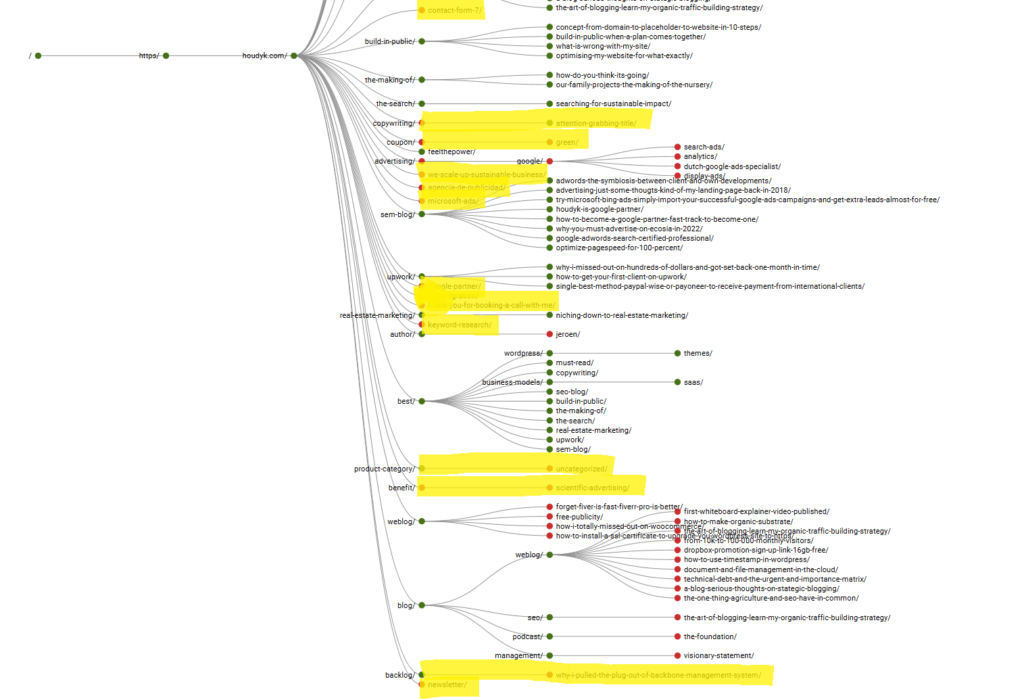
Watching my website Directory Tree Graph made me realize that having all this 301 redirects makes it a messy sight.
Not only is it not practical when you try to get an insight in your content clusters, what to think of a bot having to crawl through all those branches?
Wasting a crawler’s crawl budget for your site on dead branches is not a good idea.
Get rid of those red dots
In this video I show how I prioritize the order of removing internal links to 301 redirects. First of all the easy ones! Of course. The single pages that are no longer in use, that were hanging right under the domain.
In my case, I removed some pages from the menu, and set up corresponding redirects. With just one incoming link from the sitemap, these dead pages show up in your Directory Tree Graph. After moving these to trash halve of those red dots were solved.
URL Browsing
I am part of the few people that still use url browsing. If I want to know more about a topic, I strip the current slug from the url, and expect to see an overview page one level up. To me that is a basic user interaction that should be working.
The next more persistent redirect issue has to do with url browsing.
In this particular case we had a blog post in the category “copywriting” and the post was located as follows: /copywriting/post-title/ with the category itself not existent.
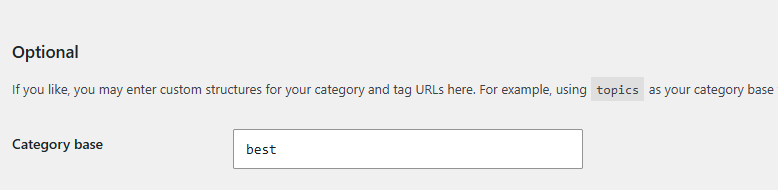
/copywriting/ does not exist. Instead is it by default archived under /category/copywriting/ and in my case I customized the category base to /best/copywriting/ because well, that’s url poetry.
There is a solution to this!
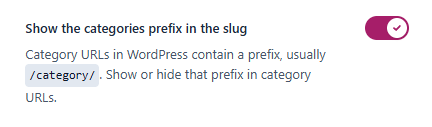
With the Yoast plugin you can toggle off the category prefix. (please Yoast, change this, that’s the category base, this stuff is complicated enough already).
I tried that, and it can be a solution in some cases. I do know that it becomes complicated with nested categories and pages supporting each category.
A page to support each category
A page to support each category is my solution to get a useful working url for each category. I no longer want to offer copywriting as a service, so why would I have a category about that?
My solution in this case is not only technical, but strategic as well.
I moved the three posts under /copywriting/ to a new category /brand-building/ because that is an existing page were these posts would suit in a topical cluster.
Now I created three new urls in this structure: /brand-building/post-title/ were when you strip the slug, you end up on an existing working page.
In the Directory Tree Graph this results in the three posts visibly hanging under the corresponding supporting page. The category page /best/brand-building/ still exists.
To avoid cannibalization (each slug must exist only once per domain) the redirection of the native category page to the supporting page would be a useful redirect.
Something I will do later, when the content (the lists of blogposts under that category) get’s integrated with the supporting page. These little actions to do later are called technical debt.
Those were all red dots on child page level! Take a look at my Directory Tree Graph now:
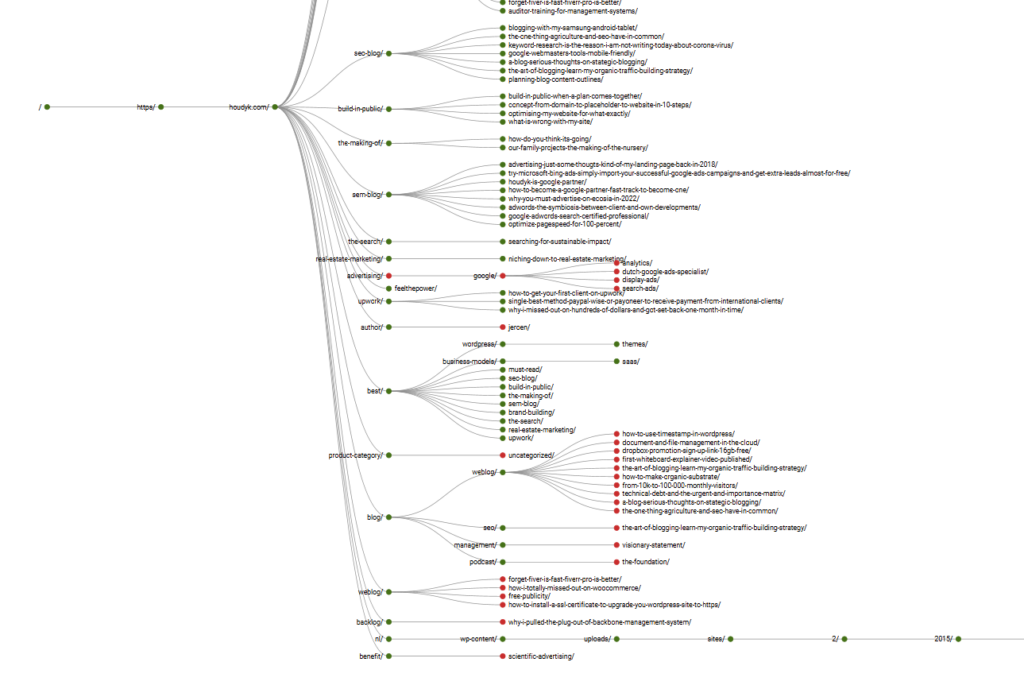
We are making progress
When working on technical SEO it can be frustrating that all the improvements you make do not reflect in Google Search console right away.
This site has hardly a life line. Just a few beeps. Now I do expect a rise in traffic after the next core update. That may occur in November or December, so I must be patient.
Once the internal structure reaches a decent level, and topic clusters are well defined, I will start to test several strategies to make my website more visible. For now there is only one strategy and that involves you my dear reader.
I personally ask you to include a reference to this post on your website.
One of the strategies I am considering, is showcasing new links to my website. Perhaps that is an extra motivation. You have read this, so we have a bond already. Now let the indexers know about it by making our bond discoverable.